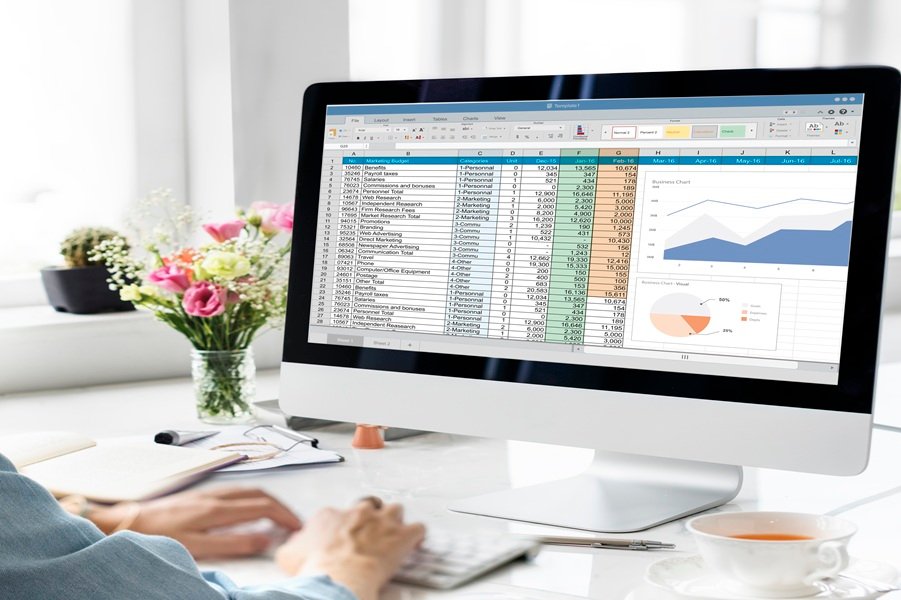
Excel Spreadsheet Validation for Regulated Industries
Excel Sheet Validation is essential when spreadsheets are used for GxP-critical activities such as calculations, data analysis, reporting, and decision-making. MedTech CSV provides expert Excel Spreadsheet Validation services to ensure accuracy, data integrity, and regulatory compliance in line with FDA and GxP expectations.
Our structured, risk-based approach ensures that Excel-based tools are controlled, validated, and audit-ready throughout their lifecycle.
Validated Spreadsheets. Accurate Calculations. Stronger Compliance.
Our Excel Validation Services
We support validation of Excel spreadsheets used across quality, manufacturing, and regulatory functions, including:
Excel Sheet Validation for GxP-critical spreadsheets
Excel Spreadsheet Validation aligned with regulatory guidance
Risk assessment and spreadsheet categorization
Design and requirement documentation
Formula verification and logic testing
IQ, OQ, and PQ execution (as applicable)
Version control and access management
Change control and revalidation support
Audit and inspection readiness
What We Validate
We provide risk-based validation of spreadsheets used for GxP, quality, laboratory, manufacturing, and business-critical processes. Our approach helps ensure spreadsheet calculations, data handling, security, and controls are reliable, traceable, and compliant with applicable regulatory requirements.
1
Identify critical spreadsheets, assess their intended use and risks, and determine appropriate validation requirements.
2
Document user requirements, calculation logic, data inputs, outputs, and controls to establish clear validation criteria.
3
Verify formulas, calculations, macros, data processing, and spreadsheet logic to ensure accurate and consistent results.
4
Assess user access, protection controls, auditability, version management, and data integrity in accordance with GxP expectations.
5
Execute risk-based testing and prepare validation protocols, traceability documentation, deviations, and validation reports.
6
Maintain the validated state through controlled changes, impact assessments, version control, periodic reviews, and revalidation where required.
ServiceTestimonial
Anil Sharma
Quality Assurance Manager
Rohit Mehta
Quality Systems Manager
Neha Patel
CSV & Compliance Lead
"MedTech CSV brought a clear, risk-based approach to our Excel spreadsheet validation. Their attention to formulas, data integrity, and documentation gave our team greater confidence in the system."
“Excellent support from requirements through validation testing. Their practical approach to Excel validation helped us improve accuracy, traceability, and control over our critical spreadsheets.”
“The validation process was thorough and well structured. The team helped us identify spreadsheet risks, strengthen controls, and establish documentation that supports our compliance requirements.”
ServiceFAQ
What is Excel Spreadsheet Validation?
Excel Spreadsheet Validation is the documented process of verifying that a spreadsheet performs its intended calculations and functions accurately, consistently, and reliably while meeting applicable GxP and data integrity requirements.
Which types of Excel spreadsheets require validation?
Spreadsheets used for GxP-critical calculations, laboratory data, quality control, manufacturing, batch records, stability studies, reporting, or other regulated processes may require validation based on their intended use and risk.
Why is Excel validation important in regulated industries?
Validation helps ensure that critical calculations and data are accurate, traceable, reproducible, and protected against unauthorized changes, supporting regulatory compliance and reliable decision-making.
Do you validate Excel formulas and macros?
Yes. Validation can include verification of formulas, calculations, macros/VBA, conditional logic, data inputs, outputs, and error-handling functionality based on the spreadsheet's intended use and risk.
Does Excel Spreadsheet Validation support 21 CFR Part 11 compliance?
Where applicable, we assess spreadsheet-related controls such as access management, audit trails, electronic records, security, data integrity, and change controls against relevant regulatory expectations.
Can existing or legacy Excel spreadsheets be validated?
Yes. Existing spreadsheets can be assessed through risk assessment, gap assessment, formula review, testing, remediation, and documented validation, depending on their current state and intended use.
How is a validated spreadsheet controlled after validation?
The validated state can be maintained through version control, restricted access, change control, impact assessment, periodic review, backup, and revalidation when significant changes are introduced.